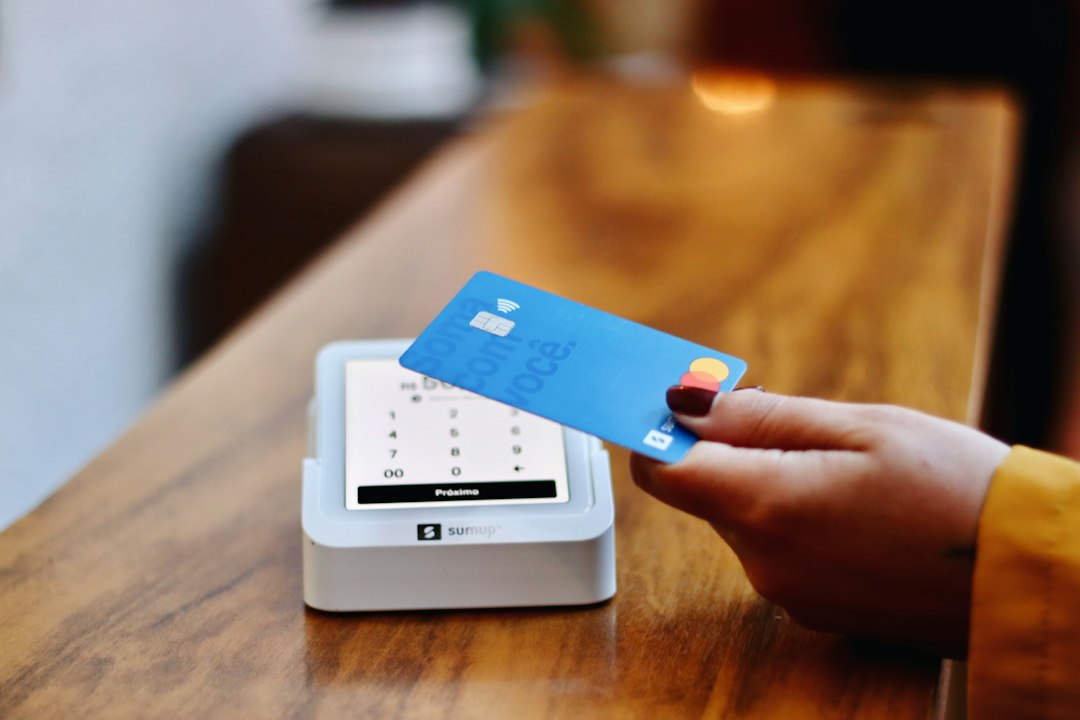

You do not need an online store to take money through your website. For most service businesses, one payment button connected to a processor is enough, and it can be working the same week you decide to do it.
The request usually arrives in the same shape. A massage studio wants a deposit so that a no-show costs something. A contractor wants half up front before ordering materials. A workshop needs seats paid for in advance. Then somebody says the word “store,” and the project quietly triples: product pages, a cart, shipping rules, tax tables, inventory, customer accounts. None of which is required to collect one amount from one person.
What a store is, and why you probably don’t need one
An online store is a catalog plus a cart. It exists so a customer can browse many things, combine several of them, and check out once. Every feature in it — variations, stock counts, shipping zones, coupon codes — serves that job.
If you sell one service at a quoted price, or collect a deposit against work you will invoice later, the catalog and the cart are overhead. More to configure, more to keep updated, more that can break on a Tuesday.
Plenty of businesses sell real products and still have no business running a store. Reyah Sunshine Farm, a family homestead in northern New Mexico, sells its natural foods at the Santa Fe Farmers Market — the transaction happens in person, at a table, with a person who wants to ask what is in the jar. The website’s job there is identity and presence: who they are, what they grow, where to find them on a Saturday. A checkout would not have sold another jar.
Four ways to collect a payment, from least work to most
A hosted payment link
Stripe and Square both let you create a payment page from your dashboard and get back a plain URL. You paste it into an email, a text message, or a button on your site. The page itself lives on the processor’s servers, which means nothing to install, nothing to update, and no card data anywhere near your website.
Best for: an occasional payment, a class you run twice a year, or testing whether anyone will pay online at all before you spend anything.
An invoice
If the amount is different every time, stop trying to build a form for it and send an invoice. Stripe, Square, and most accounting software will email one with a pay button in it, and the client never visits your site to settle up. This is the right answer for project work and retainers far more often than people expect, because the amount, the terms, and the due date all need to be stated anyway.
A payment form on your own site
When the payment is a routine part of how you work — a standing deposit, a “pay your invoice” page, event registration — it belongs on your site, in your brand, with your confirmation message. A dedicated payments plugin handles this on WordPress; WP Simple Pay is the common one and has a free version worth starting with. You set a fixed amount, a short list of amounts, or let the customer type one in.
The card fields are still rendered by the processor inside your page, so the card number never lands on your server. That distinction matters: it is what keeps a small-business site out of the serious end of payment compliance.
An actual store
WooCommerce is free, it is the standard for WordPress, and it is the right tool the moment you genuinely have a catalog. The signs you are actually there: more than a dozen products, sizes or variations to pick from, shipping to calculate, stock to track, or returning customers who should have accounts and order history. Two of those and a store is a reasonable project. None of them and you are buying a warehouse to store one box.
What it costs
The software is mostly free or close to it. The processing fee is the real cost, and it is nearly identical across the mainstream options: Stripe and Square both charge 2.9% plus 30 cents on a standard online card payment in the United States. PayPal’s rate depends on how the customer pays and runs higher at the top of its range, roughly 2.3% to 3.5% plus a fixed fee per transaction.
In plain numbers, a $500 deposit costs you $14.80 to collect. A $75 workshop seat costs $2.48. Standard pricing at Stripe and Square carries no monthly minimum, so a quiet month costs you nothing. Cards issued outside the U.S. cost more — Stripe adds 1.5%, and another 1% if the currency has to be converted.
Nonprofits should read two numbers rather than one: many donation platforms add their own platform fee on top of the card fee, and the combined figure is what actually comes out of a $100 gift.
The expense worth watching is not the percentage. It is custom development on a mechanism that will handle six transactions a year. Match the build to the volume, and revisit it when the volume changes.
A deposit is a policy question before it is a technical one
Collecting a deposit is the easy part. Deciding what it means is the work, and software will happily take money under terms nobody ever wrote down.
Settle these first: Is it refundable, and until when? Does it come off the final invoice or sit on top of it? What happens when someone reschedules instead of canceling? Who sends the reminder for the balance, and when? Write the answers in one short paragraph, put it on the same page as the button, and then wire up the button.
One technical note that catches people: most payment forms collect a single amount. “Half now, half on completion” is two events, and the second one is almost always an invoice you send by hand rather than something automated. That is fine, and it is usually better than the alternative. Partial-payment extensions do exist — test how one tracks the balance due before you commit to it, because that is where these setups leak.
Can you take a payment on your website without a shopping cart?
Yes. Every mainstream processor offers either a hosted checkout page or an embeddable form that works on a single page with no cart, no catalog, and no customer accounts. You set the amount or let the customer enter one, they pay by card or digital wallet, and you both get a receipt by email. What you need is an account with a payment processor, your site served over HTTPS — any decent host includes the certificate at no cost — and one page to put the button on. What you do not need is a merchant account in the old sense, a cart plugin, or a store.
Five things to settle before you set it up
- What is being paid for, named precisely: a booking deposit, a full session fee, a seat, a donation.
- Whether the amount is fixed, chosen from a few options, or typed in by the customer.
- What the customer sees the second after paying — a confirmation page in your words, saying what happens next, not the processor’s generic receipt screen.
- Who gets the notification, and whether it also needs to reach your calendar or your bookkeeping.
- Your refund and reschedule policy, written down, on that page.
Answer those five and the technical choice tends to make itself. A fixed amount collected twice a month is a payment link. A varying amount tied to a quote is an invoice. A standing deposit customers expect to find on your site is a form on your site. A catalog is a store.
If you already have those answers, you are closer than you think — the mechanism is the small part. Patrick Iverson builds custom WordPress websites for New Mexico businesses from Santa Fe, and has run an independent practice here since 2001. Adding a payment page to a site that already works is usually an afternoon, not a project. If you are weighing whether yours needs a store or just a button, that is a short conversation, and it is worth having before anyone quotes you a catalog.