
A website redesign is a content project first and a design project second. That’s an unpopular thing to say when you’ve just approved a budget for a shiny new site, but it’s the reason so many redesigns run late — the design is ready before the content is. Pages sit half-built in staging while someone hunts down a headshot from 2019, and the launch date slips by three weeks.
The good news: the work you do in the weeks before the developer starts is the work that saves the most money once the meter is running. Here’s what to have ready.
Start with a content inventory, not a wish list
A content inventory is a spreadsheet with one row per page of your current site. At minimum: URL, page title, page purpose, last updated, and monthly visits (from Google Analytics or Search Console). For a small-business site with two or three dozen pages, this takes about four to eight hours. It’s tedious and it will change how you think about the project.
Most inventories reveal the same pattern: half of your pages get almost no traffic, a handful get most of it, and there are a few dead pages nobody remembered were there. That’s not a problem — that’s clarity. It tells you where to spend your rewrite budget.
Apply the keep / rewrite / kill / create decision
Once every page is on a row, mark each one:
- Keep — earning traffic, still accurate, still on-brand.
- Rewrite — earning traffic but written years ago, in a voice you’ve outgrown, or missing information a visitor now expects.
- Kill — no traffic, no strategic value, redirects to a relevant page instead.
- Create — a page a competitor has and you don’t, or a service you now offer that has no home on the site.
The temptation is to keep everything “just in case.” Resist it. Every page you keep is a page that has to be reviewed, migrated, styled, and QA’d. A tighter site launches faster and ranks better.
Map your URLs and plan the redirects
This is the step small businesses skip most often, and it’s the one that quietly kills organic traffic for six months after launch. If your old site had yoursite.com/about-us and the new site puts it at yoursite.com/about, that’s a 301 redirect you need to set up on launch day — otherwise Google (and anyone with a bookmark) hits a 404.
Add two columns to your inventory: old URL and new URL. Fill them in as the new site takes shape. Hand the finished list to your developer before launch. On a well-run WordPress redesign, this file becomes a redirect plugin’s import — a fifteen-minute job with the sheet, a full afternoon of guesswork without it.
Gather your media before you need it
Photos are the biggest content bottleneck on nearly every redesign I run. The pattern goes: the design comps look great with placeholder images, the client says “we’ll swap in real photos before launch,” and then six weeks later everyone is scrambling to find product shots or team photos that don’t exist yet.
Before the build starts, put every image asset in one folder — logos in vector format, team headshots, product or service photography, any brand illustrations. Note the gaps. If you need a new photo shoot, book it now. Photographers in Santa Fe and Albuquerque are typically two to six weeks out, and that timeline compounds with the developer’s schedule.
Write the copy before the design is final
Designers work better when they can lay out real words. Lorem ipsum hides layout problems — the moment you drop in the actual homepage headline, three sentences that felt punchy in isolation suddenly look thin next to a hero image. Better to find that out in the design phase than after launch.
Draft the copy for at least the homepage, the main service or product pages, the about page, and the contact page before design begins. It doesn’t have to be finished. Rough is fine. It just has to be real length, real voice, real specifics — so the design can respond to it.
What does a content audit actually involve?
A content audit is a systematic review of every page on your existing site, evaluated against your business goals and your visitor’s needs. For a typical small-business site (twenty to fifty pages), plan on one to two full working days: half a day to build the inventory spreadsheet, half a day to pull traffic and engagement data, and a full day to make the keep-rewrite-kill-create decisions and map the new information architecture. Larger sites — a manufacturer with a product catalog, or a nonprofit with a decade of program pages — can easily take a week and are worth hiring help for.
Decide the sitemap before the design starts
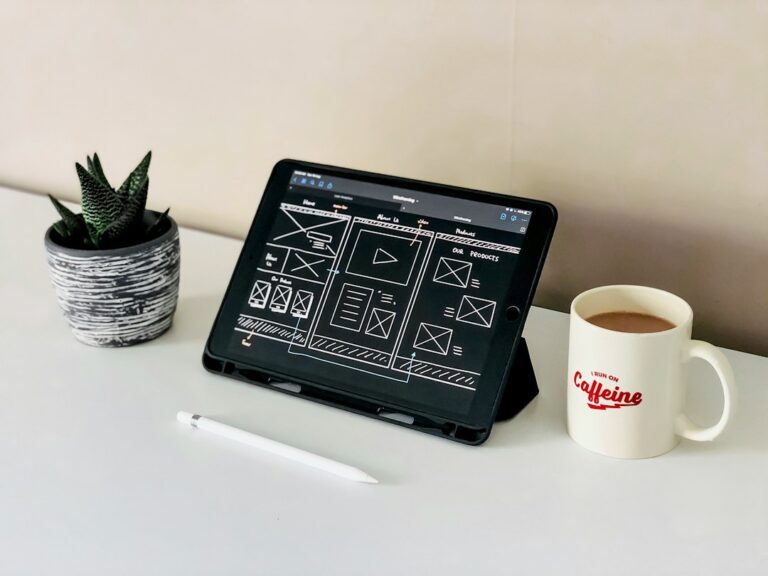
A sitemap is a diagram of every page on the new site and how they connect. It’s usually a simple boxes-and-lines drawing, sometimes just an indented list. It’s the single most useful document you can bring to your first design meeting. Without it, the designer is guessing at scope. With it, they can quote accurately and start designing the pages you actually need.
Keep the top navigation to five to seven items. Anything more forces visitors to scan a menu instead of read it. Group related pages under a parent — services under Services, individual case studies under Work — rather than promoting everything to the top level.
Prepare the technical inputs your developer will ask for
Before the build phase starts, gather:
- Your domain registrar login (or the email of whoever holds it)
- Your current hosting login and any FTP or SFTP credentials
- Google Analytics and Search Console admin access
- Any third-party account credentials the site touches — email newsletter, booking system, e-commerce platform, CRM
- Brand assets in editable formats (Illustrator or SVG for logos, not just PNGs)
Track down anything you can’t find now, not the week of launch. A missing domain login on cutover day is the difference between launching Monday morning and Friday night. When I built the Weka Biosciences site in collaboration with Monsoon Design, we spent the first two weeks organizing the technical content — product specifications, application descriptions, contact routing — before a single design comp went out. That upfront work is why the build phase stayed on schedule.
A realistic sense of how long this takes
For a small business, plan two to four weeks of content prep before the design engagement begins. That’s inventory, decisions, sitemap, and a first draft of the key page copy. Media collection can run in parallel. Two to four weeks sounds like a lot until you compare it to the alternative — a design phase that stalls because the words aren’t ready, and a build phase that ships late because the images are missing.
Most website redesigns for small businesses take four to eight weeks of active development. If you show up to that engagement with a clean content inventory, a decided sitemap, drafted copy, and a folder of real images, you’re on the fast lane. If you don’t, expect the timeline to double.
The prep is where the money is saved
Developer time is the most expensive time in a redesign. Every hour a developer spends chasing missing content, asking clarifying questions, or restructuring a sitemap mid-build is an hour billed at developer rates instead of an hour you could have handled in-house with a spreadsheet. The prep work isn’t glamorous, but it’s where a redesign budget stretches or breaks.
Patrick Iverson is a brand strategist and custom WordPress web designer in Santa Fe, New Mexico, working with small and mid-sized businesses across Albuquerque, Santa Fe, Rio Rancho, Las Cruces, and remote across the U.S. If you’re planning a redesign this year and want a second set of eyes on your content inventory before you start, that’s a conversation worth having early.