

Website photography is the imagery a business uses to represent its work, people, and place online — and it carries more weight than most business owners realize. A small operation in Santa Fe with a $300 phone and a north-facing window can produce site photography that outperforms a $2,000 stock subscription. The trick is knowing what to shoot, when stock is acceptable, and where photography is doing real work versus just filling space.
This is a guide for the small-business owner who can’t justify hiring a photographer yet — but still needs a website that doesn’t look like a template. Most of the bad photography choices I see on small Albuquerque and Santa Fe sites come from one of two mistakes: defaulting to stock for everything, or trying to do too much with a phone and giving up. There’s a useful middle path.
Why your website’s photography matters more than you think
Visitors form an impression of your business within seconds of landing on your site, and a substantial chunk of that impression comes from the images, not the copy. Recent industry analysis suggests that pages using authentic, original imagery see roughly 35% higher conversion rates than pages relying on generic stock — and that stock-heavy pages drive significantly shorter time-on-page and lower scroll depth.
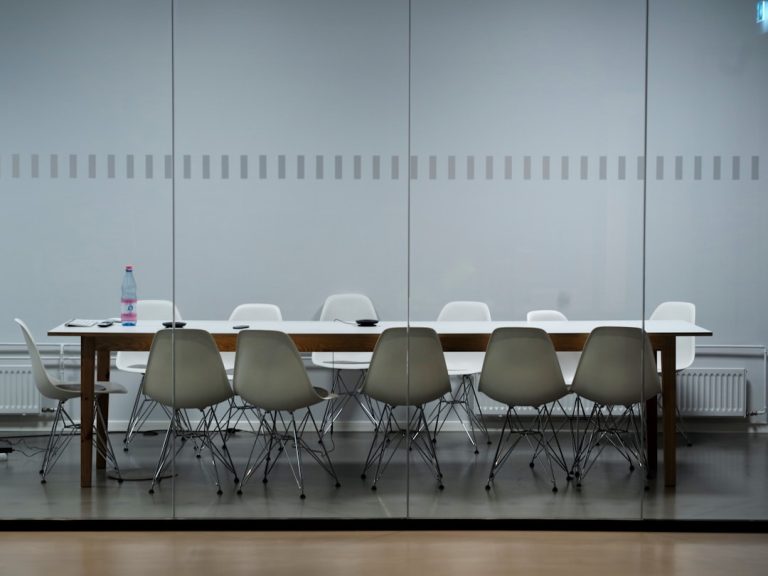
That’s not because stock photography is inherently bad. It’s because the wrong image — a generic smiling team in a glass conference room, or four diverse hands clinking coffee mugs — tells the visitor something specific: this business uses the same images as everyone else, so it’s probably the same as everyone else. The trust loss is fast and quiet. The visitor doesn’t think “I’m rejecting this stock photo.” They just don’t scroll.
The four jobs photography does on a small-business website
Before deciding what to shoot, get clear on what each photo is doing. Most small-business websites need photography in four places, and each calls for a different approach:
- Proof of work. Photos of finished projects, completed installations, served plates, finished haircuts, delivered renovations. These earn trust faster than testimonials.
- Proof of place. Your storefront, your shop, your office, your stretch of road. Especially important for any local-search-driven business.
- Proof of people. Your face, your team, the actual humans a customer will deal with. Even one honest portrait beats a stock photo of a model.
- Atmosphere and feel. The textures and details that make your business feel like itself — light through a window, hands at work, the chalkboard menu.
Get one solid image for each of those four categories and you have most of a website. Everything else is bonus.
When stock photography is genuinely fine
There’s a useful distinction between photography that represents your business and photography that illustrates a concept. The first should always be original. The second can be stock — within limits.
A blog post about retirement planning can use a thoughtful stock image of a coastline. A landing page for your law firm cannot use a stock image of a lawyer in front of a bookshelf and pretend it’s you. The first is illustration; the second is impersonation, and visitors clock it instantly.
If you do use stock, three rules help: prefer Unsplash over Shutterstock-style libraries (less saturated, less staged), avoid any photo with identifiable strangers’ faces, and treat stock as a placeholder you’ll eventually replace, not a permanent fixture.
Can I take my website photos with my phone?
Yes, for most small-business needs. A current iPhone or Pixel produces images that hold up at web sizes and on retina displays. In controlled tests, the iPhone 16 Pro Max achieves around 94% color accuracy compared to a calibrated reference — well above the threshold where a viewer notices the difference on a website.
The phone is rarely the limiting factor. Lighting is. A $1,200 phone in bad fluorescent light produces worse results than a $300 phone next to a north-facing window on an overcast Santa Fe afternoon. If you do nothing else, photograph in soft natural light — near a window, in shade, on a cloudy day — and your phone will do the rest.
One specific failure mode to avoid: harsh midday sun, especially in New Mexico where the light is intense. The shadows it casts on faces, products, and storefronts are unflattering and hard to fix in post. Either shoot in the first or last two hours of daylight, or move into open shade.
A realistic shot list for a service business
If you have one afternoon and a phone, here’s a shot list that will cover most of a small service-business website:
- One straight-on portrait of you, head and shoulders, in even light. This goes on About and Contact.
- One environmental portrait of you working — at a desk, behind a counter, with a tool in your hand. This goes on the homepage hero or About.
- One shot of your space — the storefront from the sidewalk, the studio doorway, the workshop interior. Goes on Contact and About.
- Three to five close-ups of work in progress or finished — hands, tools, materials, details. These are versatile and break up long pages of copy.
- One wider “scene” shot showing context — your storefront on a downtown Albuquerque block, your truck parked at a job site, the room where you meet clients.
That’s eight to twelve images. With those, a competent designer can build a small site that feels grounded and specific. You can replace and add to them over time as you do more shoots.
When you genuinely do need to hire a photographer
Some businesses can’t get away with phone photography. If the product is the brand — fine jewelry, luxury florals, designer apparel, plated food, fine art — the photography has to do work that a phone can’t reliably do. For Two Baroque Girls, a Santa Fe luxury floral and wedding studio, the website’s portfolio galleries are the brand — every page leans on the photography to communicate craft, and that’s a case where the budget for a photographer isn’t optional.
A good rule: if a visitor’s decision to hire you turns on what your work looks like, hire a photographer for the work itself, even if you handle everything else with a phone. The portrait of you can wait. The product or project gallery cannot.
Things that aren’t photography but can fill the same space
If you genuinely have no usable photography for a section, the answer isn’t to add another stock image — it’s to use a different visual element. Custom illustration, a strong color block, large typographic statements, a hand-drawn map, a chart, an icon row — any of these communicate something specific in a way a generic photo cannot. A page with thoughtful typography and zero photography reads as confident. A page with three stock photos reads as filler.
A short editing checklist before photos go on the site
- Crop tight. Most phone photos are too loose; cropping in by 20–30% almost always helps.
- Brighten the shadows slightly. Mid-tone lift is your friend.
- Keep the white balance consistent across the page — a warm photo next to a cool one looks wrong even when neither looks bad alone.
- Export at the right size. A 4000-pixel-wide photo on a webpage hurts load time and Google’s Core Web Vitals score. Most images should be 1600–2000 pixels wide max.
- Write real alt text — describe the image specifically, including a place name when relevant (“brand strategy worksheet on a workshop table in Santa Fe”).
The takeaway
Photography isn’t an all-or-nothing decision. The strongest small-business sites mix a few well-shot originals with restraint everywhere else — they don’t try to fill every block with a photo, and they don’t paper over the gaps with stock. If you can produce eight to twelve honest images of your work, your place, and yourself, you have a foundation a designer can build something specific around.
Patrick Iverson is a Santa Fe brand strategist and WordPress developer who builds custom websites for small and mid-sized businesses across New Mexico. If you’re sitting on a folder of phone photos and wondering whether you have enough to launch — or whether you need to budget for a shoot before you start — it’s worth a short conversation.